Octomode: Difference between revisions
| (80 intermediate revisions by 2 users not shown) | |||
| Line 1: | Line 1: | ||
[[File:Rwx-octo5.svg|200px]] | |||
[[File:Read-write-execute-octo-mode.png|200px]] | |||
[[File:Octo-hands.png|200px]] | |||
Octomode is a collective editing space for PDF making, using Etherpad, Paged.js and Flask. | Octomode is a collective editing space for PDF making, using Etherpad, Paged.js and Flask. | ||
Inspired by the multi-centered, tentacular cognition capabilities of the octopus, we imagined a space in which the artificial boundaries of writing and design can be crossed; where writing, editing and designing can be done in one environment simultaneously, allowing the format to influence the matter and vice-versa. | Inspired by the multi-centered, tentacular cognition capabilities of the octopus, we imagined a space in which the artificial boundaries of writing and design can be crossed; where writing, editing and designing can be done in one environment simultaneously, allowing the format to influence the matter and vice-versa. | ||
→ '''URL''': https://cc.practices.tools/octomode/<br> | |||
→ '''git repo''': https://git.vvvvvvaria.org/CC/octomode | |||
__TOC__ | |||
==Ongoing circulations== | ==Ongoing circulations== | ||
Octomode is strongly relying on (Ether)pad and shared habits of collective note taking in such collaborative environments. In the end, octomode is just a combination of a few free software tools, and we like to think of octomode as a boilerplate, that can be re-configured and re-transformed into other possible environments. It | Octomode is strongly relying on (Ether)pad and shared habits of collective note taking in such collaborative environments. In the end, octomode is just a combination of a few free software tools, and we like to think of octomode as a boilerplate, that can be re-configured and re-transformed into other possible environments. It strongly learned from the inspiring work of the following projects: | ||
* [http://osp.kitchen/tools/ethertoff/ Ethertoff] by OSP | * [http://osp.kitchen/tools/ethertoff/ Ethertoff] by OSP | ||
* [https://networksofonesown.constantvzw.org/ Etherbox] by Constant | * [https://networksofonesown.constantvzw.org/ Etherbox] by Constant | ||
* [https://gitlab.constantvzw.org/aa/etherdump etherdump] by Michael Murtaugh | * [https://gitlab.constantvzw.org/aa/etherdump etherdump] by Michael Murtaugh | ||
* [https:// | * [https://relearn.be/2015/ the local network + etherpad setup] during Relearn 2015 | ||
* [https:// | * [https://calibre.constantvzw.org/book/34 The Techno-Galactic Guide to Software Observation] by Constant | ||
Octomode is published under [https://git.vvvvvvaria.org/varia/octomode/src/branch/master/LICENSE.txt CC4r]: please feel free to use, change, transform and republish into many directions, within the limits of the conditions formulated by the COLLECTIVE CONDITIONS FOR RE-USE (CC4r) license. | Octomode is published under [https://git.vvvvvvaria.org/varia/octomode/src/branch/master/LICENSE.txt CC4r]: please feel free to use, change, transform and republish into many directions, within the limits of the conditions formulated by the COLLECTIVE CONDITIONS FOR RE-USE (CC4r) license. | ||
{| class="wikitable" | |||
|- | |||
! octomode instance !! maintained by !! version !! features !! code !! context | |||
|- | |||
| https://cc.practices.tools/octomode/ || [https://cc.practices.tools Creative Crowds (CC)] || CC || main features || https://git.vvvvvvaria.org/CC/octomode || The CC octomode instance, used by us and a network of peers around us, including OSP, XPUB students, Pibliotheque, Varia and others; used for the making of zines, publications which are often personal projects, workshop outputs or sometimes also commissioned work. | |||
|- | |||
| https://circulations.constantvzw.org/octomode/ || [https://constantvzw.org/ Constant] || technodisobedience || main features <br>+ RISO color seperation, epub export, markdown import || https://git.vvvvvvaria.org/CC/octomode/src/branch/technodisobedience/ || Constant's octomode instance as part of their SPLINT 5-year research trajectory and SPLINTER server, used for the making of zines, EPUBs and annual publications that document all their activities of that year, such as [https://calibre.constantvzw.org/book/207 Techno-disobedience] published in December 2023 and [https://constantvzw.org/site/Zine-launch-Otherwordly-Communications.html Otherworldly Communications zine] published in March 2026. | |||
|- | |||
| https://octomode.hackersanddesigners.nl || [https://hackersanddesigners.nl/ H&D] || CC || main features || https://github.com/hackersanddesigners/octomode (fork, no additional changes) || The octomode instance of Hackers & Designers, used to make publications such as [https://hackersanddesigners.nl/hd-bulletin-6.html HD Bulletin 6] + [https://hackersanddesigners.nl/hd-bulletin-7.html HD Bulletin 7]. Octomode was also used during a workshop at one of the HD summercamps, but I can't find it back sadly. | |||
|- | |||
| https://octomode.vvvvvvaria.org || [https://varia.zone varia] || CC || main features || https://git.vvvvvvaria.org/varia/octomode || This was octomode's first URL! Currently it's pointing to the Varia octomode instance, used by Varia members to make the SomeTimes (edition [https://varia.zone/en/2022/sometimes-af-en-toe/ 1] [https://varia.zone/en/2024/sometimes5/ 5] [https://varia.zone/en/2025/some-times-6/ 6]), write funding applications and reports, make zines and other things. | |||
|- | |||
| https://hub.vvvvvvaria.org/rosa/octomode/ || [https://varia.zone/ATNOFS/ ATNOFS] || CC || main features || https://git.vvvvvvaria.org/varia/octomode || Octomode is part of Rosa's ''resonance board'', the landing page of this traveling feminist server: ''The resonance board is a shared space which gathers and folds pads, messages and files hosted on rosa. On the resonance board you can start a new pad, use octomode, use the shared ile system, traverse the list of pads already created, read messages on the folding board, and browse the files that have been uploaded to the chapters folder.'' ([https://zoiahorn.anarchaserver.org/wp-content/uploads/2023/03/ATNOFS-screen.pdf#page=9 link]) | |||
|- | |||
| https://lepa.hackersanddesigners.nl/ || [https://hackersanddesigners.nl/ H&D] || Learning Palestine || main features <br>+ Markdown cheatsheet, [https://www.npmjs.com/package/ep_markdown_toc Etherpad table of content plugin] ([https://etherpad.hackersanddesigners.nl/p/ep_plugins documented here]), impositioned PDF export || || A custom Octomode setup for the group [https://learningpalestine.net/ Learning Palestine], to support their (re)publishing efforts of texts ''"to disseminate knowledge on the history of the ongoing struggle for justice, liberation, and freedom of Palestine and the Palestinian People"'', outside of the hands of corporate platforms. At first they explored ways to do so without corporate social media platforms, but then also wanted to step away from corporate design tools such as Adobe InDesign. The project was presented during a [https://hackersanddesigners.nl/bulletin-7-launch-at-fort-van-sjakoo.html HD Bulletin launch] at [https://sjakoo.nl/ Het Fort van Sjakoo] in June 2025. | |||
|- | |||
| https://zine.luddite.tools/ || [https://luddite.tools/ The Luddite Academy/David Benque] || CC || main features <br>+ [https://codeberg.org/luddite-academy/octomode/commit/7eebbd1098f44de743a97394468b49672bf368d7 patch for not working Etherpad URLs] || https://codeberg.org/luddite-academy/octomode || ''The project was [is] titled "The Luddite Academy" and proposed to bring the current resurgence of luddite theory and praxis to bear on the university's digital arts and humanities departments.'' ([https://post.lurk.org/@diagram_studies/115768866079004997 link]) | |||
|} | |||
==How to use octomode?== | ==How to use octomode?== | ||
If you want to work collectively on | If you want to work collectively on a PDF, you can make a new octomode environment here: https://cc.practices.tools/octomode/. | ||
You can write any name of in the input field, this will be the name of the new octomode environment and pads that are used. | You can write any name of in the input field, this will be the name of the new octomode environment and pads that are used. | ||
| Line 34: | Line 61: | ||
When creating a new environment, a few things happen: | When creating a new environment, a few things happen: | ||
* a pad is created for collecting the materials of your PDF. The name of the octomode environment will become the name of this pad. For example: <code> | * a pad is created for collecting the materials of your PDF. The name of the octomode environment will become the name of this pad. For example: <code>https://cc.practices.tools/pad/p/NAME.md</code>. | ||
* another pad is created for writing the stylesheet of your PDF. The name of the octomode environment will become the name of this pad, followed by .css. For example: <code>https:// | * another pad is created for writing the stylesheet of your PDF. The name of the octomode environment will become the name of this pad, followed by .css. For example: <code>https://cc.practices.tools/pad/p/NAME.css</code> | ||
* If both pads were not created yet, a template is added to the pad. The main pad will get a Markdown template and the stylesheet pad a CSS template. | * If both pads were not created yet, a template is added to the pad. The main pad will get a Markdown template and the stylesheet pad a CSS template. | ||
In case a pad was already made, you can copy the templates below and paste them at the top of your pads. | In case a pad was already made, you can copy the templates below and paste them at the top of your pads. | ||
The PDFs are rendered using [https://pagedjs.org/ Paged.js], a free and open source JavaScript library "that paginates content in the browser to create PDF output from any HTML content. This means you can design works for print (eg. books) using HTML and CSS!" The project | The PDFs are rendered using [https://pagedjs.org/ Paged.js], a free and open source JavaScript library "that paginates content in the browser to create PDF output from any HTML content. This means you can design works for print (eg. books) using HTML and CSS!" The project used to be maintained by the [https://coko.foundation/ Coko Foundation] but is currently on its own feet! Paged.js adds not (yet) implemented CSS rules to the ones that browsers implemented already, expanding the possibilities to make lay outs for specific sections, place content in the margins of pages, and render indexes (amongst other things). The Paged.js documentation is very helpful and can be found here: https://pagedjs.org/documentation/. | ||
==How to install octomode?== | ==How to install octomode?== | ||
[[Installing octomode]] | |||
==CSS Print== | ==CSS Print== | ||
| Line 157: | Line 77: | ||
Some CSS Print examples can be found at: [[CSS Print]] | Some CSS Print examples can be found at: [[CSS Print]] | ||
== | ==Troubleshooting== | ||
At the top of the pad for content is a metadata block: | |||
--- | |||
title: octomode | |||
language: en | |||
--- | |||
When things go wrong in situations when many people are working together, it is often that someone has typed something at the start of the pad before the metadata block, or there is some syntax error in the metadata block. For example, using two colons in the title field will make it break: | |||
--- | |||
title: My cool title: and subtitle | |||
language: en | |||
--- | |||
The | The title is only there to make the name of the PDF file when it is exported, and the language can be set to something other than English. But this metadata must be there, and there must be three hyphens (---) opening and closing the metadata block. | ||
== Error log == | == Error log == | ||
| Line 173: | Line 101: | ||
==Made with Octomode== | ==Made with Octomode== | ||
A partial collection of zines, publications, sticker sets and web posters made with octomode. | |||
The list is not complete, but that's also not the point. It is here to give an idea what kind of things are made. | |||
And it's also here as an archive of the practices that have grown around octomode. | |||
<gallery widths=250 heights=300> | |||
File:SomeTimes number-1.pdf|First edition of the ''[[SomeTimes]]'' by Varia (April, 2022) | |||
File:Af-en-toe nummer-1.pdf|Eerste editie van de ''[[SomeTimes|Af en Toe]]'' by Varia (april, 2022) | |||
File:SomeTimes number-3.pdf|Third edition of the ''[[SomeTimes]]'' made for the 12th of October Counter-Cloud Action day, by Varia (October, 2023) | |||
File:Bulgarian-Antifascist-Bulletin 1 2023.pdf|''[[Bulgarian antifascist bulletin]]'' (2023) | |||
File:ComputationalPublishingandWriting 2023.pdf|''[[the title is|the title is: (and then a series of checkboxes) (insert here your suggestions :} ) +1+1+1+1+1]]'', outcome of a workshop hosted by Winnie Soon and Geoff Cox (April, 2023) | |||
File:Hosting-with-zine.pdf|''Hosting with]]'' self-published by Varia, made by Angeliki, Artemis and Manetta (July, 2023) | |||
File:ATNOFS-screen.pdf|''[[A Traversal Network of Feminist Servers]]'' or ATNOFS in short, published by Varia, Hypha, Feminist Hack Meetings, Constant, esc, LURK (March 2023) | |||
File:Free palestine reader.png|Front page of the [[Free palestine reader]] | |||
File:Anarchokrant 4.png|Front page of the fourth edition of the [[Anarchokrant]] | |||
File:Constant-techno-disobedience-2023.pdf|[[Constant SPLINT zines]] issue #1: ''Techno-disobedience!'' made by Martino Morandi, Alix Turcq, Manetta Berends (December 2023) | |||
File:Social-in-the-media-bw.pdf|''[[Social in the Media]]'', zine made by Varia, June 2024 | |||
File:Bulletin-6-0.jpg|''[[HD Bulletin]]'' 6 made by Hackers & Designers, February 2025 | |||
File:so-you-decided-to-make-a-zine.jpg|''[[so, you decided to make a zine using octomode]]'', a zine introducing how to work with octomode, made by Simon Browne during his residency in Ireland, June 2025 | |||
File:Scan-cover7.jpg|''[[HD Bulletin]]'' 7 made by Hackers & Designers, launched June 2025 | |||
File:Stickers-XPUB-Charlie.png|Sticker sheet made by Charlie during ''[[Special Issue 26: Declarations]]'', a thematic trimester project at [https://xpub.nl XPUB] (spring 2025) | |||
File:XPUB-SI26-Declarations.png|Declarations web poster made collectively in octomode by the XPUB students + Doriane during ''[[Special Issue 26: Declarations]]'' (spring 2025) | |||
File:So-you-decided-to-make-a-zine-in-octomode.pdf|''[[so, you decided to make a zine using octomode|so, you decided to make a zine in octomode]]'' second version! Made by Simon during the Des*gn Week in Linz (November, 2025) | |||
File:Flyerconstanta2-82dd7.jpg|''Otherworldly Communications'' is the 3rd annual publication of the [[Constant SPLINT zines]], designed by Sarah Magnan, published in March 2026 | |||
</gallery> | |||
==Versions of octomode== | |||
===technodisobedience=== | |||
''2023'' | |||
[[File:Screenshot from 2025-06-17 12-44-37.png|left|thumb|new buttons!]] | |||
[[File: | |||
[[File:Octomode-technodisobedience-4.png|left|thumb|the publication in CK mode]] | |||
[[File:Octomode-technodisobedience-5.png|left|thumb|the same page in MYK mode]] | |||
https:// | The art organisation Constant in BXL makes a publication to document their activities of that year and in 2023 they worked around the theme of technodisobedience: https://circulations.constantvzw.org/pub/constant-techno-disobedience-2023.pdf | ||
As part of the publication making and thinking, i (Manetta) was invited to work with Martino on a publishing workflow and printed outcome. We worked on some tools that we in the end awkwardly (but with joy) called ''AGGREGARIOUSLY SNOWPLOWING devices'': a houtje-touwtje/cobbled-together workflow to publish snippets from pads (using ''snowpoles'') continuously throughout the year (using an ''aggregator''). We [https://circulations.constantvzw.org/pub/constant-techno-disobedience-2023.pdf#page=37 wrote about in the publication] too. | |||
In the end, this annual publication was produced with the whole Constant team joined by Alix Turcq and myself, using a customized version of octomode installed on their server. The publication was RISO printed at Chez Rosi (a sweet printing place in BXL) which was a reason to add a color separation feature to octomode (!). | |||
<blockquote> | |||
The publication you are holding is instead the result of our step into octomode, a system that we trusted would allow us to have a publication for this year balancing collective workflows and experimental additions, but with a much more predictable timeline. In the case of this publication, we developed a custom version of octomode, that allows us to output different PDFs with color separation in view of our riso-printing at Chez Rosi in Brussel. To achieve the separation of colors, we made use of Imagemagick and a bunch of hacks in our css styles to make sure to generate both a riso simulation of the two color printing technique for the web version and the correct files to send to the risograph printer. | |||
</blockquote> | |||
The | The code is stored as a separate branch called [https://git.vvvvvvaria.org/CC/octomode/src/branch/technodisobedience/ <code>technodisobedience</code>]. | ||
https:// | |||
<div style="clear:both;"></div> | <div style="clear:both;"></div> | ||
=== | ===grilletti=== | ||
'' | ''2025'' | ||
[[File:Grilletti-epub-pxlhNQ0zT5etS075qwdjsQ.jpg|thumb|left|new octomode button: EPUB !!!]] | |||
[[File:Grilletti-epub-2.png|thumb|left|second step in the EPUB generation feature]] | |||
[[File:Grilletti-paste.png|thumb|left|another new octomode button: PASTE]] | |||
During an italian hackmeeting the group C.I.R.C.E. laid out a book with octomode and did a short presentation on the process, "very beta". | |||
A new button was added: EPUB (!), to generate an epub file directly from the octomode environment. When you click the button, it brings you to another page, where you can select a cover image before you generate the EPUB. | |||
A second button was added too: PASTE, which seems to be a way to import markdown files from either your local computer, or stored online somewhere. Hmm! | |||
The code will be pushed to the [https://git.vvvvvvaria.org/CC/octomode/src/branch/technodisobedience/ <code>technodisobedience</code>] branch. | |||
https://git.vvvvvvaria.org/ | |||
< | |||
<div style="clear:both;"></div> | <div style="clear:both;"></div> | ||
=== | ===Learning Palestine=== | ||
''2025-2026'' | |||
[ | [https://hackersanddesigners.nl/ Hackers & Designers] are working on a custom Octomode setup for the group [https://learningpalestine.net/ Learning Palestine], to support their (re)publishing efforts of texts "to disseminate knowledge on the history of the ongoing struggle for justice, liberation, and freedom of Palestine and the Palestinian People", outside of the hands of corporate platforms. At first they explored ways to do so without corporate social media platforms, but then also wanted to step away from corporate design tools such as Adobe InDesign. | ||
" | |||
https://hackersanddesigners.nl/ | They started to collaborate with Hackers & Designers to see what role Octomode can play in this great initiative, and for this H&D is working on some changes and new features to how etherpads work within Octomode, which they published as a plugin here: https://www.npmjs.com/package/ep_markdown_toc and documented here: https://etherpad.hackersanddesigners.nl/p/ep_plugins. | ||
<div style="clear:both;"></div> | <div style="clear:both;"></div> | ||
Latest revision as of 21:47, 25 March 2026


Octomode is a collective editing space for PDF making, using Etherpad, Paged.js and Flask.
Inspired by the multi-centered, tentacular cognition capabilities of the octopus, we imagined a space in which the artificial boundaries of writing and design can be crossed; where writing, editing and designing can be done in one environment simultaneously, allowing the format to influence the matter and vice-versa.
→ URL: https://cc.practices.tools/octomode/
→ git repo: https://git.vvvvvvaria.org/CC/octomode
Ongoing circulations
Octomode is strongly relying on (Ether)pad and shared habits of collective note taking in such collaborative environments. In the end, octomode is just a combination of a few free software tools, and we like to think of octomode as a boilerplate, that can be re-configured and re-transformed into other possible environments. It strongly learned from the inspiring work of the following projects:
- Ethertoff by OSP
- Etherbox by Constant
- etherdump by Michael Murtaugh
- the local network + etherpad setup during Relearn 2015
- The Techno-Galactic Guide to Software Observation by Constant
Octomode is published under CC4r: please feel free to use, change, transform and republish into many directions, within the limits of the conditions formulated by the COLLECTIVE CONDITIONS FOR RE-USE (CC4r) license.
| octomode instance | maintained by | version | features | code | context |
|---|---|---|---|---|---|
| https://cc.practices.tools/octomode/ | Creative Crowds (CC) | CC | main features | https://git.vvvvvvaria.org/CC/octomode | The CC octomode instance, used by us and a network of peers around us, including OSP, XPUB students, Pibliotheque, Varia and others; used for the making of zines, publications which are often personal projects, workshop outputs or sometimes also commissioned work. |
| https://circulations.constantvzw.org/octomode/ | Constant | technodisobedience | main features + RISO color seperation, epub export, markdown import |
https://git.vvvvvvaria.org/CC/octomode/src/branch/technodisobedience/ | Constant's octomode instance as part of their SPLINT 5-year research trajectory and SPLINTER server, used for the making of zines, EPUBs and annual publications that document all their activities of that year, such as Techno-disobedience published in December 2023 and Otherworldly Communications zine published in March 2026. |
| https://octomode.hackersanddesigners.nl | H&D | CC | main features | https://github.com/hackersanddesigners/octomode (fork, no additional changes) | The octomode instance of Hackers & Designers, used to make publications such as HD Bulletin 6 + HD Bulletin 7. Octomode was also used during a workshop at one of the HD summercamps, but I can't find it back sadly. |
| https://octomode.vvvvvvaria.org | varia | CC | main features | https://git.vvvvvvaria.org/varia/octomode | This was octomode's first URL! Currently it's pointing to the Varia octomode instance, used by Varia members to make the SomeTimes (edition 1 5 6), write funding applications and reports, make zines and other things. |
| https://hub.vvvvvvaria.org/rosa/octomode/ | ATNOFS | CC | main features | https://git.vvvvvvaria.org/varia/octomode | Octomode is part of Rosa's resonance board, the landing page of this traveling feminist server: The resonance board is a shared space which gathers and folds pads, messages and files hosted on rosa. On the resonance board you can start a new pad, use octomode, use the shared ile system, traverse the list of pads already created, read messages on the folding board, and browse the files that have been uploaded to the chapters folder. (link) |
| https://lepa.hackersanddesigners.nl/ | H&D | Learning Palestine | main features + Markdown cheatsheet, Etherpad table of content plugin (documented here), impositioned PDF export |
A custom Octomode setup for the group Learning Palestine, to support their (re)publishing efforts of texts "to disseminate knowledge on the history of the ongoing struggle for justice, liberation, and freedom of Palestine and the Palestinian People", outside of the hands of corporate platforms. At first they explored ways to do so without corporate social media platforms, but then also wanted to step away from corporate design tools such as Adobe InDesign. The project was presented during a HD Bulletin launch at Het Fort van Sjakoo in June 2025. | |
| https://zine.luddite.tools/ | The Luddite Academy/David Benque | CC | main features + patch for not working Etherpad URLs |
https://codeberg.org/luddite-academy/octomode | The project was [is] titled "The Luddite Academy" and proposed to bring the current resurgence of luddite theory and praxis to bear on the university's digital arts and humanities departments. (link) |
How to use octomode?
If you want to work collectively on a PDF, you can make a new octomode environment here: https://cc.practices.tools/octomode/.
You can write any name of in the input field, this will be the name of the new octomode environment and pads that are used.
Note: When working with multiple people on one PDF it is recommended to use the same browser. CSS rules are rendered slightly differently on different browsers.
Working in octomode includes:
pad: all materials for the PDF are collected here. (written in Markdown)stylesheet: all CSS rules for the PDF are collected here (written in CSS)html: render the lay out as a HTML (rendered with PyPandoc)pdf: render the lay out as a PDF (rendered with Paged.js)
When creating a new environment, a few things happen:
- a pad is created for collecting the materials of your PDF. The name of the octomode environment will become the name of this pad. For example:
https://cc.practices.tools/pad/p/NAME.md. - another pad is created for writing the stylesheet of your PDF. The name of the octomode environment will become the name of this pad, followed by .css. For example:
https://cc.practices.tools/pad/p/NAME.css - If both pads were not created yet, a template is added to the pad. The main pad will get a Markdown template and the stylesheet pad a CSS template.
In case a pad was already made, you can copy the templates below and paste them at the top of your pads.
The PDFs are rendered using Paged.js, a free and open source JavaScript library "that paginates content in the browser to create PDF output from any HTML content. This means you can design works for print (eg. books) using HTML and CSS!" The project used to be maintained by the Coko Foundation but is currently on its own feet! Paged.js adds not (yet) implemented CSS rules to the ones that browsers implemented already, expanding the possibilities to make lay outs for specific sections, place content in the margins of pages, and render indexes (amongst other things). The Paged.js documentation is very helpful and can be found here: https://pagedjs.org/documentation/.
How to install octomode?
CSS Print
Some CSS Print examples can be found at: CSS Print
Troubleshooting
At the top of the pad for content is a metadata block:
---
title: octomode
language: en
---
When things go wrong in situations when many people are working together, it is often that someone has typed something at the start of the pad before the metadata block, or there is some syntax error in the metadata block. For example, using two colons in the title field will make it break:
---
title: My cool title: and subtitle
language: en
---
The title is only there to make the name of the PDF file when it is exported, and the language can be set to something other than English. But this metadata must be there, and there must be three hyphens (---) opening and closing the metadata block.
Error log
For some adventures in Octomode, see the Error log.
Made with Octomode
A partial collection of zines, publications, sticker sets and web posters made with octomode.
The list is not complete, but that's also not the point. It is here to give an idea what kind of things are made.
And it's also here as an archive of the practices that have grown around octomode.
-
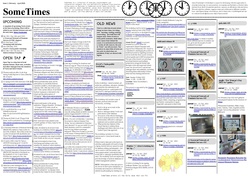 First edition of the SomeTimes by Varia (April, 2022)
 -
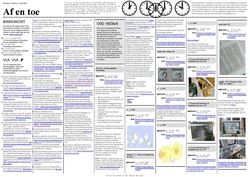 Eerste editie van de Af en Toe by Varia (april, 2022)
 -
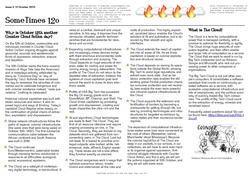 Third edition of the SomeTimes made for the 12th of October Counter-Cloud Action day, by Varia (October, 2023)
 -

-
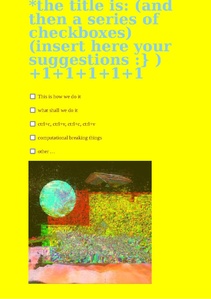 the title is: (and then a series of checkboxes) (insert here your suggestions :} ) +1+1+1+1+1, outcome of a workshop hosted by Winnie Soon and Geoff Cox (April, 2023)
 -
![Hosting with]] self-published by Varia, made by Angeliki, Artemis and Manetta (July, 2023)](/wiki/images/thumb/1/10/Hosting-with-zine.pdf/page1-212px-Hosting-with-zine.pdf.jpg) Hosting with]] self-published by Varia, made by Angeliki, Artemis and Manetta (July, 2023)
Hosting with]] self-published by Varia, made by Angeliki, Artemis and Manetta (July, 2023) -
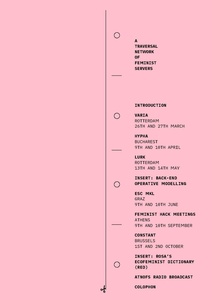 A Traversal Network of Feminist Servers or ATNOFS in short, published by Varia, Hypha, Feminist Hack Meetings, Constant, esc, LURK (March 2023)
 -
 Front page of the Free palestine reader
 -
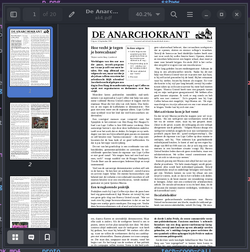 Front page of the fourth edition of the Anarchokrant
 -
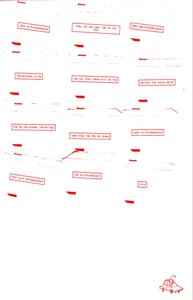 Constant SPLINT zines issue #1: Techno-disobedience! made by Martino Morandi, Alix Turcq, Manetta Berends (December 2023)
 -
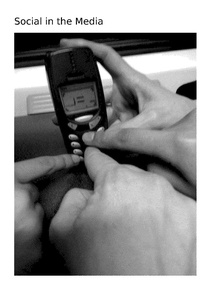 Social in the Media, zine made by Varia, June 2024
 -
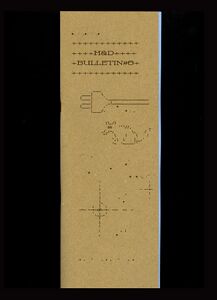 HD Bulletin 6 made by Hackers & Designers, February 2025
 -
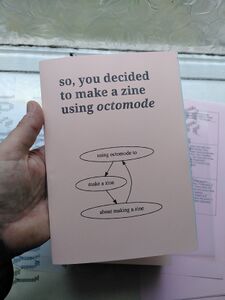 so, you decided to make a zine using octomode, a zine introducing how to work with octomode, made by Simon Browne during his residency in Ireland, June 2025
 -
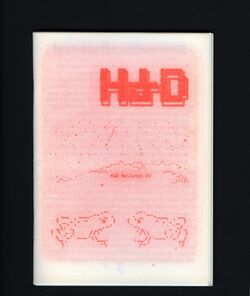 HD Bulletin 7 made by Hackers & Designers, launched June 2025
 -
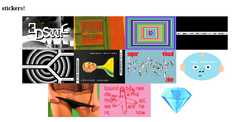 Sticker sheet made by Charlie during Special Issue 26: Declarations, a thematic trimester project at XPUB (spring 2025)
 -
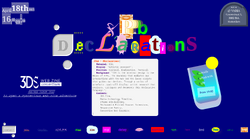 Declarations web poster made collectively in octomode by the XPUB students + Doriane during Special Issue 26: Declarations (spring 2025)
 -
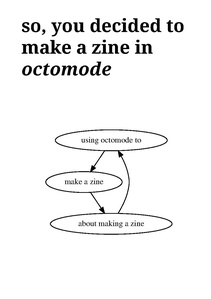 so, you decided to make a zine in octomode second version! Made by Simon during the Des*gn Week in Linz (November, 2025)
 -
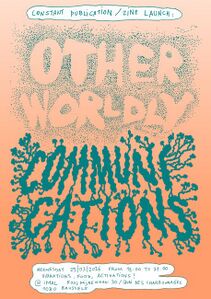 Otherworldly Communications is the 3rd annual publication of the Constant SPLINT zines, designed by Sarah Magnan, published in March 2026


Versions of octomode
technodisobedience
2023


The art organisation Constant in BXL makes a publication to document their activities of that year and in 2023 they worked around the theme of technodisobedience: https://circulations.constantvzw.org/pub/constant-techno-disobedience-2023.pdf
As part of the publication making and thinking, i (Manetta) was invited to work with Martino on a publishing workflow and printed outcome. We worked on some tools that we in the end awkwardly (but with joy) called AGGREGARIOUSLY SNOWPLOWING devices: a houtje-touwtje/cobbled-together workflow to publish snippets from pads (using snowpoles) continuously throughout the year (using an aggregator). We wrote about in the publication too.
In the end, this annual publication was produced with the whole Constant team joined by Alix Turcq and myself, using a customized version of octomode installed on their server. The publication was RISO printed at Chez Rosi (a sweet printing place in BXL) which was a reason to add a color separation feature to octomode (!).
The publication you are holding is instead the result of our step into octomode, a system that we trusted would allow us to have a publication for this year balancing collective workflows and experimental additions, but with a much more predictable timeline. In the case of this publication, we developed a custom version of octomode, that allows us to output different PDFs with color separation in view of our riso-printing at Chez Rosi in Brussel. To achieve the separation of colors, we made use of Imagemagick and a bunch of hacks in our css styles to make sure to generate both a riso simulation of the two color printing technique for the web version and the correct files to send to the risograph printer.
The code is stored as a separate branch called technodisobedience.
grilletti
2025


During an italian hackmeeting the group C.I.R.C.E. laid out a book with octomode and did a short presentation on the process, "very beta".
A new button was added: EPUB (!), to generate an epub file directly from the octomode environment. When you click the button, it brings you to another page, where you can select a cover image before you generate the EPUB.
A second button was added too: PASTE, which seems to be a way to import markdown files from either your local computer, or stored online somewhere. Hmm!
The code will be pushed to the technodisobedience branch.
Learning Palestine
2025-2026
Hackers & Designers are working on a custom Octomode setup for the group Learning Palestine, to support their (re)publishing efforts of texts "to disseminate knowledge on the history of the ongoing struggle for justice, liberation, and freedom of Palestine and the Palestinian People", outside of the hands of corporate platforms. At first they explored ways to do so without corporate social media platforms, but then also wanted to step away from corporate design tools such as Adobe InDesign.
They started to collaborate with Hackers & Designers to see what role Octomode can play in this great initiative, and for this H&D is working on some changes and new features to how etherpads work within Octomode, which they published as a plugin here: https://www.npmjs.com/package/ep_markdown_toc and documented here: https://etherpad.hackersanddesigners.nl/p/ep_plugins.